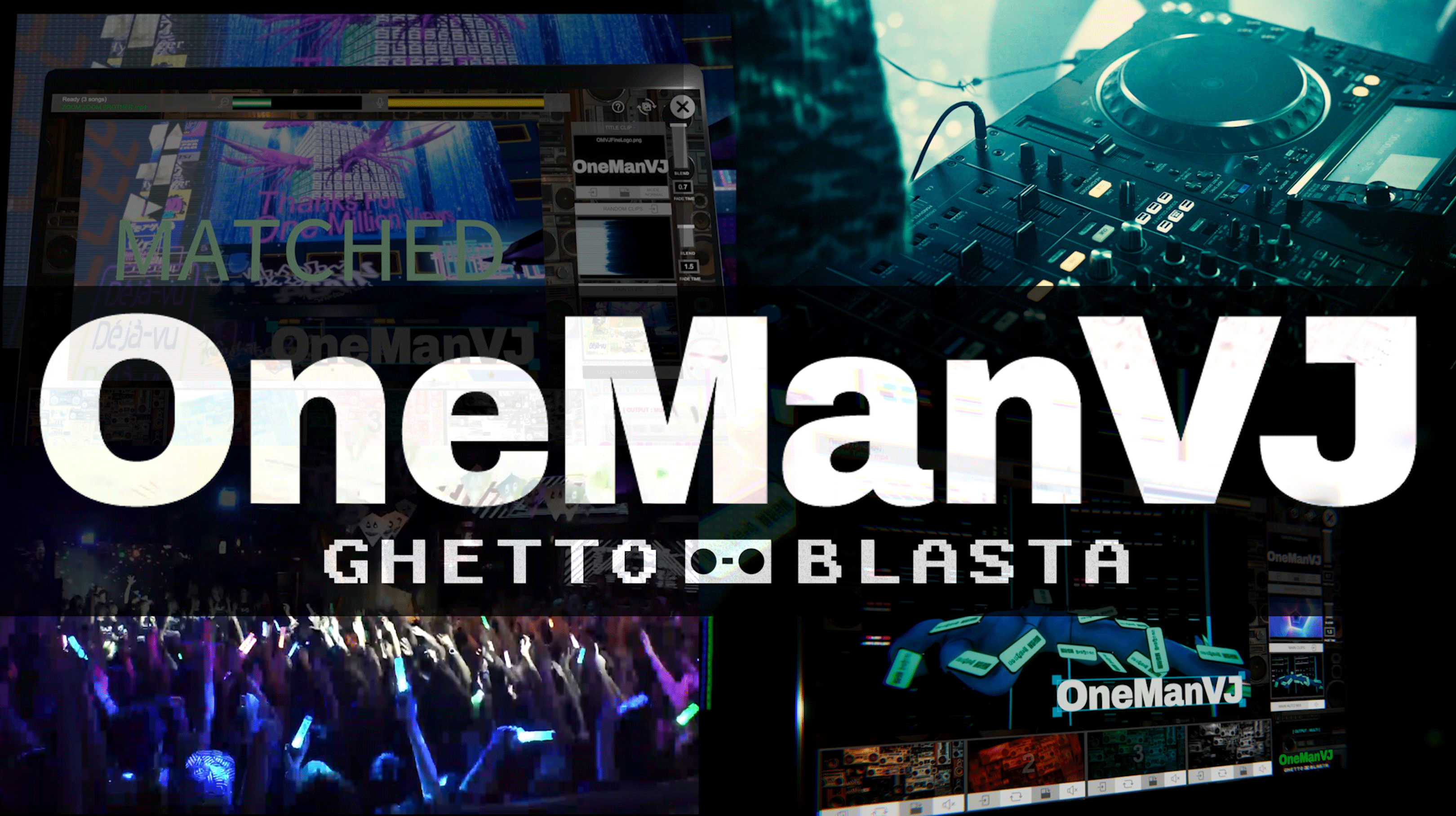
OneManVJ — Fully Automated VJ Software for Solo Performers
A downloadable OneManVJ for Windows and macOS
OneManVJ - Fully Automated VJ App | Mac & Win | Regular $49 ➔ Now Only $29
OneManVJ Free | Mac & Win | Up to 5 Songs
━━━━━━━━━━━━━━━━━━━━━━━━━━━
🎬 OneManVJ — Just play the music. The visuals trigger automatically!!!
━━━━━━━━━━━━━━━━━━━━━━━━━━━
OneManVJ is an automated VJ software that listens to ambient music through your microphone and instantly identifies the track using audio-fingerprinting technology. It then plays and perfectly synchronizes the corresponding pre-assigned video in real-time.
No need to hire a VJ. No manual triggering required.
Just import your videos, play your music, and let OneManVJ do the rest.
Clubs, bars, house parties, live streams, ambient installations—
If you have a speaker and a screen, you're ready to go.
Compatible with Windows & macOS.
━━━━━━━━━━━━━━━━━━━━━━━━━━━
🎉 Launch Memorial Special Sale! (Until May 22)
━━━━━━━━━━━━━━━━━━━━━━━━━━━
To celebrate our official release, we are running a 2-week Early Bird Special!
【Sale Period】 May 8, 2026 — May 22, 2026 (11:59 PM)
【Special Price】 Pro Version (Lifetime License): Regular $49 ➔ Now Only【$29】
* From May 23, the price will return to the regular $49.
* No subscriptions. A one-time purchase grants you lifetime access.
* If you perform live, do not miss this massive discount!
━━━━━━━━━━━━━━━━━━━━━━━━━━━
🎁 About the Free Version
━━━━━━━━━━━━━━━━━━━━━━━━━━━
The Free Version allows you to test the software on your own system before purchasing.
- Song Library: Limited to 5 songs
- Features: Identical to the Pro Version
- Watermark: None
- Expiration: None (Free forever)
━━━━━━━━━━━━━━━━━━━━━━━━━━━
🎯 Who is this for?
━━━━━━━━━━━━━━━━━━━━━━━━━━━
- DJs who want synced visuals but don't have the budget to hire a VJ
- Bar/Cafe owners who want music-reactive visuals in their venue
- Solo performers handling their own event pop-ups
- Streamers looking to elevate their broadcast visuals
- Professional VJs wanting a reliable automated backup during their sets
- Users looking to route automated visuals into their main VJ system via screen capture or NDI
━━━━━━━━━━━━━━━━━━━━━━━━━━━
⚡ Key Features
━━━━━━━━━━━━━━━━━━━━━━━━━━━
🎵 Automated Track Recognition (Audio Fingerprinting)
It identifies the track playing from microphone input and instantly cues the correct video, syncing the playback position perfectly. Think of it as a VJ version of Shazam.
🎵 Automatic Tempo Tracking
It tracks your song even if the pitch/tempo is changed by ±10%. (e.g., A 120 BPM track played at 132 BPM is still recognized).
🎬 Dual-Deck Crossfading
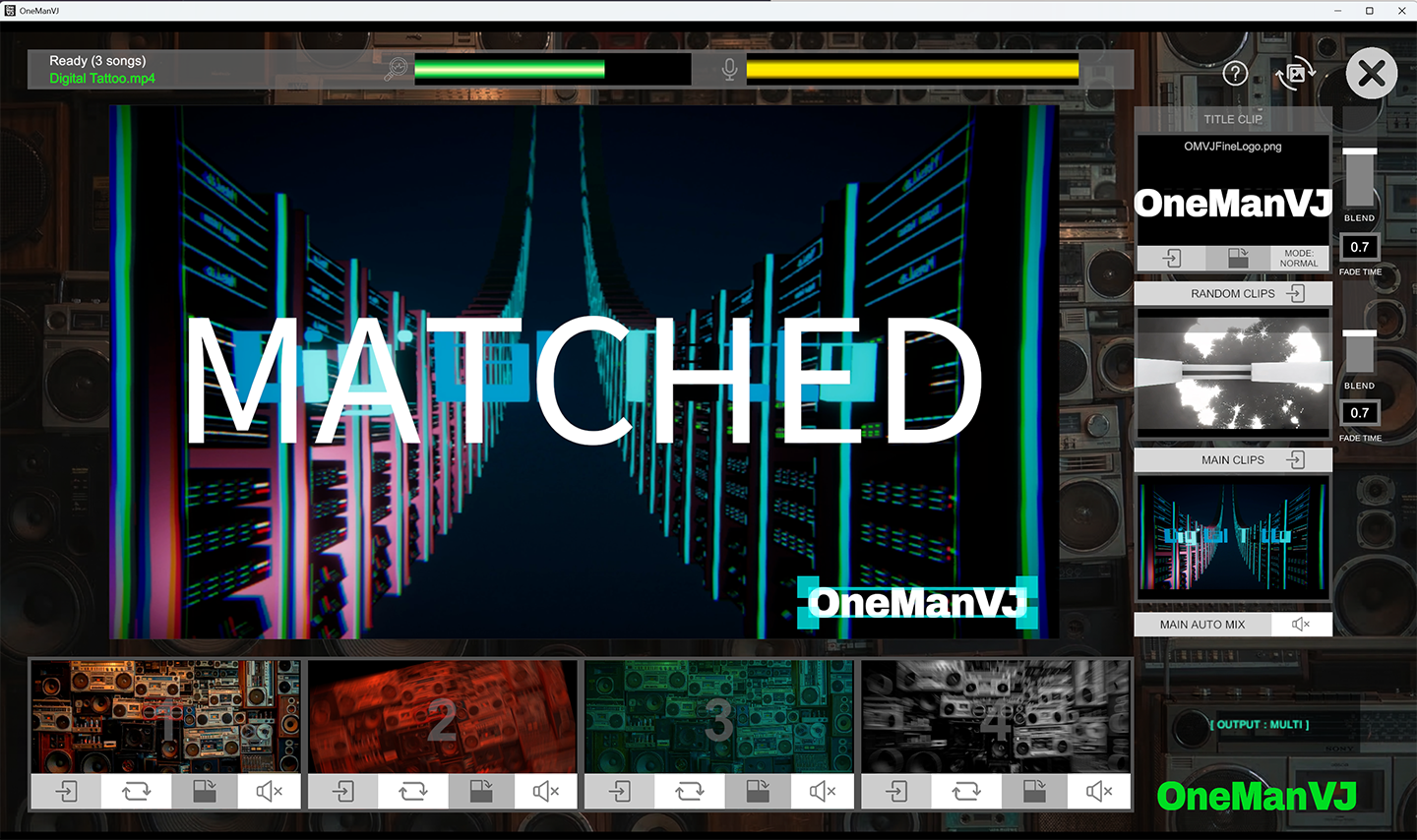
Smooth A/B deck visual transitions, just like a DJ mixer. No black screens or sudden cuts.
🌀 Glitch Mode
The screen never goes dark during silence or track selection. It automatically loops random glitch/ambient visuals. Intensity is fully adjustable via slider.
🔄 Auto-Mix Mode
Automatically plays random videos from your library. You can customize playback duration and fade times. Set it and let it run all night.
🖥️ Multi-Monitor Auto-Detect
Automatically detects connected projectors or secondary displays and outputs the video instantly with no configuration required.
🎹 4x Quick Slots
A built-in sample pad. Assign logos, jingles, or hype videos to 4 slots and trigger them instantly with one click.
🎨 Title Overlay
Drop an image into the TitleFiles folder to overlay it permanently on the video output. Perfect for displaying event names, DJ logos, or venue branding.
🎤 Audio Input Selection
Select your preferred microphone or audio interface directly within the app without changing your OS system settings.
📂 Drag & Drop Import
Simply drag your video files into the window. Audio extraction and fingerprint registration are done entirely automatically. Supports MP4 / MOV / WebM.
📁 Portable Content Folder
Move your massive video library to an external SSD. Change the path with one click via the FOLDER button and the app restarts automatically. Take your library to any gig.
🔇 100% Offline Operation
No internet connection required. No account registration needed. It runs entirely locally on your machine.
━━━━━━━━━━━━━━━━━━━━━━━━━━━
💻 System Requirements
━━━━━━━━━━━━━━━━━━━━━━━━━━━
【Windows】
Minimum: Windows 10/11 (64bit) / Intel i5 / 8GB RAM / DirectX 11
Recommended: Intel i7 / 16GB RAM / SSD
【macOS】
Minimum: macOS 12 Monterey or later / Apple M1 or Intel i5 / 8GB RAM / Metal
Recommended: Apple M2+ or Intel i7 / 16GB RAM / SSD
【Common】
Formats: MP4 (H.264) / MOV / WebM
Audio Input: Built-in mic or External Audio Interface
* Audio analysis engine (FFmpeg) is built-in. No extra installation required.
━━━━━━━━━━━━━━━━━━━━━━━━━━━
📦 What's Included
━━━━━━━━━━━━━━━━━━━━━━━━━━━
- OneManVJ Application
└ Windows: Installer (.exe)
└ macOS: Application (.app)
- UserFolders/
├ MainVideos/ (Includes 3 sample videos)
├ RandomVideos/ (Includes 8 glitch/ambient videos)
├ PadFiles/ (Includes 4 quick-slot videos)
├ TitleFiles/ (Includes 1 sample title image)
├ DJAudioFiles/ (Auto-generated audio cache)
└ AudioCache/ (Auto-generated fingerprint data)
- README.txt
━━━━━━━━━━━━━━━━━━━━━━━━━━━
🚀 Download & Setup
━━━━━━━━━━━━━━━━━━━━━━━━━━━
【Windows】
1. Download and extract the ZIP.
2. Run OneManVJ_Win_Setup.exe.
3. Choose installation directory (Internal drive, external SSD, USB, etc.).
4. Launch from Start Menu or Desktop shortcut.
* External SSD installation is fully supported for easy gig transport.
* Windows SmartScreen may appear on the first launch. Click "More info" -> "Run anyway".
【macOS】
1. Download and extract the ZIP.
2. Drag OneManVJ.app into your Applications folder (or anywhere you like).
3. On first launch, Right-Click the app -> Select "Open" -> Click "Open".
4. Double-click to launch normally thereafter.
* Can be run directly from external drives (keep the .app and UserFolders together).
* macOS Gatekeeper warning only appears on the first launch.
━━━━━━━━━━━━━━━━━━━━━━━━━━━
🎬 How to Use
━━━━━━━━━━━━━━━━━━━━━━━━━━━
1. Launch OneManVJ.
2. Drag & drop video files into the window.
3. Wait for audio fingerprint processing to complete.
4. Play the music through your speakers.
5. The corresponding video will trigger and sync automatically!
━━━━━━━━━━━━━━━━━━━━━━━━━━━
❓ FAQ
━━━━━━━━━━━━━━━━━━━━━━━━━━━
Q. Can it recognize songs played from Spotify or Apple Music?
A. Yes. It does not matter what the source is, as long as the audio reaches the microphone. However, you must first import the music video or audio file into the app beforehand to register its audio fingerprint.
Q. How do I connect my DJ gear?
A. The most reliable method is running a cable from your mixer's REC OUT or Master OUT into your PC's LINE IN or Audio Interface. Alternatively, simply using your laptop's built-in microphone to pick up the room audio works perfectly fine.
Q. Does the Free Version expire?
A. No, it never expires. You can use it for free forever. However, you are limited to registering a maximum of 5 songs. If you need unlimited song registration, please consider purchasing the Pro Version.
(* Until May 22, 2026, the Pro Version is on sale for $29 instead of the regular $49!)
Q. Can I move my video files to an external SSD?
A. Yes. Click the FOLDER button in the app, select the new folder on your SSD, and the app will automatically restart and load from the new path.
Q. Can I use this for live streaming on OBS?
A. Yes. Simply use the "Window Capture" source in OBS to capture the OneManVJ output window.
Q. Do I need an internet connection?
A. No. Once downloaded, it operates 100% offline. No accounts, no logins.
Q. Should I choose Windows or macOS?
A. Both versions are completely identical in features. Choose whichever machine you trust the most for live performances.
━━━━━━━━━━━━━━━━━━━━━━━━━━━
📜 License
━━━━━━━━━━━━━━━━━━━━━━━━━━━
- Personal & Commercial Use: ✅ Allowed
- Reselling / Redistribution: ❌ Prohibited
- Reverse Engineering: ❌ Prohibited
- Copyright of Video Content: You are responsible for ensuring you have the rights to use the videos you play.
━━━━━━━━━━━━━━━━━━━━━━━
🌐 deejei.tokyo
𝕏 @Motsu_MC
YouTube: https://www.youtube.com/@DeeJei_Tokyo
Made by MOTSU / DeeJei.Tokyo
Purchase
In order to download this OneManVJ you must purchase it at or above the minimum price of $29 USD. You will get access to the following files:
Download demo